For Google Business Profile categories, a lawyer should pick the one that most specifically describes their main practice as the primary category, then add a few secondary categories only for services the firm really offers. This post covers how to choose each, what Google says about limits, and the mistakes to avoid.
Categories tell Google what kind of business you are, and they are one of the few profile settings fully in your control. They sit inside the profile covered in our Google Business Profile guide, and they feed the wider picture described in local SEO for law firms.
Which categories should a lawyer choose?
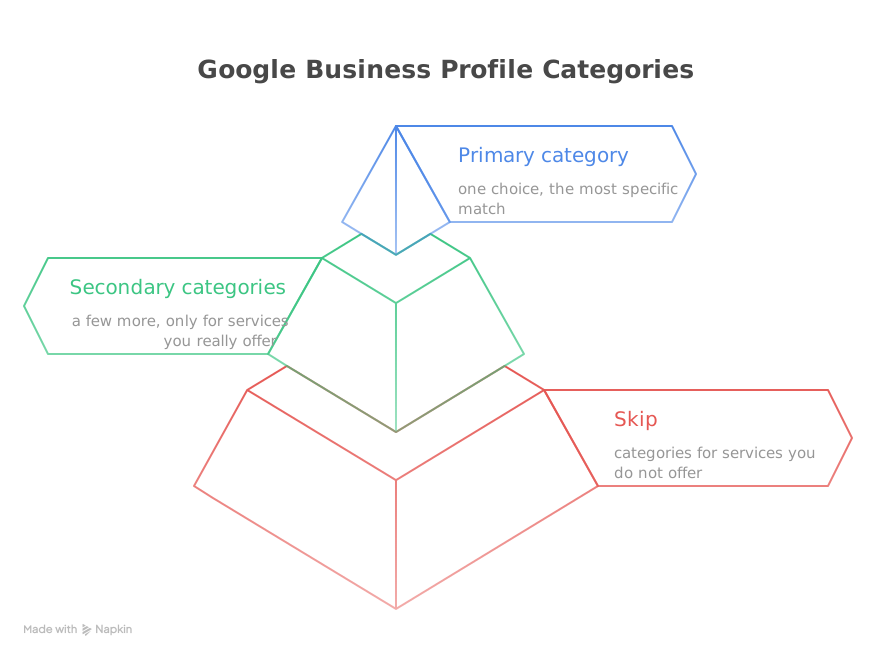
Choose one specific primary category and a short list of secondary ones. Google tells businesses to choose a primary category that best describes the business and to add additional categories only for departments or services that are part of it.
Take a hypothetical three-lawyer family law firm in Phoenix. Most of its work is divorce, so its primary category is the divorce-specific option, and a broader family law category sits beside it as a secondary one. That pairing matches the example in a Juris Digital article, which pairs “Divorce Lawyer” with “Family Law Attorney”.
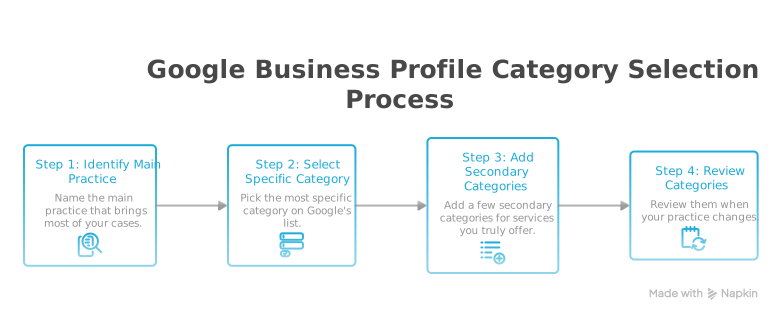
How do you pick the primary category?
Pick the most specific option on Google’s list that fits most of your work. Google’s help page says to select a specific category from the list, and when none fits exactly, choose a general one. You cannot invent your own category.
Google’s guidelines add a useful test: a category should complete “This business is a…”, not “This business has a…”. A firm is a divorce law practice; it does not have a mediation service as its identity.
Google’s category help page says the primary category affects local ranking, which is why it deserves the most thought. A firm that handles several matter types should still choose the one that brings in the most work. Search the category list inside your profile with a few terms for your main practice, and read the options before choosing.
I’d also resist the urge to chase a category because a competitor shows it. Their practice may differ from yours, and a category that fits them can mislead a searcher looking at you. Pick for the work you want to do, then keep the rest of the profile accurate.
A caveat: the list is Google’s, not ours, and its wording changes over time. Look at what your profile offers today rather than copying a category name from an old article.
How do you use secondary categories?
Add secondary categories for real services, and keep the list short. Google’s help page recommends “a few categories” rather than one for every product or service. It gives no numeric cap on additional categories. One agency, Juris Digital, suggests two or three extras and five or six in total; treat that as an agency estimate, not an official limit.
| Category type | Use it for | Example |
|---|---|---|
| Primary | Your main practice | Divorce Lawyer |
| Secondary | A related service you offer | Family Law Attorney |
| Neither | Work you rarely do | Skip it |
Google’s guidelines also say it adds broader categories automatically, so you don’t need to stack a general category on top of a specific one just to be found.
This changes if your firm really has two distinct practices of equal weight, such as a firm split evenly between estate planning and business law. Even then, choose the primary that matches the work you most want, and make the other secondary. Re-check the choice once a year, because a profile that matched your practice two years ago may not match it now.
Which category mistakes should you avoid?
Most category mistakes come from wanting to look bigger than you are. Google’s guidelines ask businesses to use as few categories as possible to describe the core business, and not to use them as keywords.
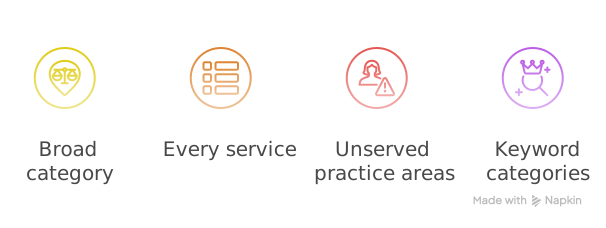
- Choosing a general category when a specific one exists. A firm that does mostly one thing should say so.
- Adding every practice area you’ve touched. A category for work you rarely take on invites unqualified calls.
- Listing services you don’t handle. Agencies warn unrelated categories could hurt rankings; that article offers no data for the claim, but it costs you nothing to avoid.
- Forgetting independent offices. Google’s help page says a department that is separately owned and open to the public should have its own profile, not an extra category.
How do you change your categories?
Edit them from your profile, then re-check the result. On Google’s help page the steps are: open your profile, choose Edit profile, then edit the business category. Choose a primary category, select Add another category for each extra, and save.
Google notes that editing categories may require you to verify your business again, so don’t change them the week before a busy intake period. Rules for how lawyers may describe their services vary by state, so check your state bar’s advertising rules before you describe your practice; this is general information, not legal advice. The ABA’s Model Rule 7.1 bars false or misleading statements about a lawyer’s services, and most states adopt a version of it. That is a good reason not to claim a specialty you don’t practice.
Where to start
Do these three things this week.
- Write down the one practice that brings in most of your cases and find its most specific category.
- Cut any secondary category for work you wouldn’t happily take on.
- Review the list whenever your practice changes.
Once categories are right, the next lever is reviews. Our guide to getting more Google reviews covers how to ask and which bar rules to check.
Categories are one input among several; reviews, accurate details and a fast website matter too. If you want help, our law firm SEO service covers them.