Law firm website accessibility means people with disabilities can read, navigate and contact your firm online, including with a screen reader or a keyboard alone. The Department of Justice has said since 1996 that the ADA applies to web content, and the standard most people test against is WCAG 2.2, level AA. This post explains where the law stands, gives you a 10-point self-audit, and shows what to fix first.
Does the ADA apply to your law firm website?
The DOJ’s position is that the ADA covers websites, but it has no regulation that sets technical rules for private businesses. Its web accessibility guidance says that since 1996 the department has taken the position that the ADA applies to web content. Title III covers businesses open to the public and requires them to provide full and equal enjoyment of their goods and services, including online.
The same page notes that the DOJ has no regulation setting detailed web standards, and points to WCAG as helpful guidance. The 2024 state and local government rule is separate and does not describe your private firm.
Whether and how a particular court applies the ADA to a website varies, and so do state laws. I would treat your site as in scope, but this is general information, not legal advice. Ask your own counsel or malpractice carrier about your exposure, and check your state bar for any accessibility expectations for lawyers.
Take a three-lawyer family law firm in Charlotte. Its clients are often stressed, some are older, and some use a screen reader or cannot use a mouse. If the contact form works only with a mouse, those people cannot reach the firm, whatever any lawsuit risk looks like.
What is WCAG in plain language?
WCAG, the Web Content Accessibility Guidelines, is the W3C’s technical standard, and the current version is 2.2. The W3C’s WCAG overview lists 2.0 (2008), 2.1 (2018) and 2.2 (October 2023). Each version is backward compatible, so a site that meets 2.2 also meets 2.1 and 2.0.
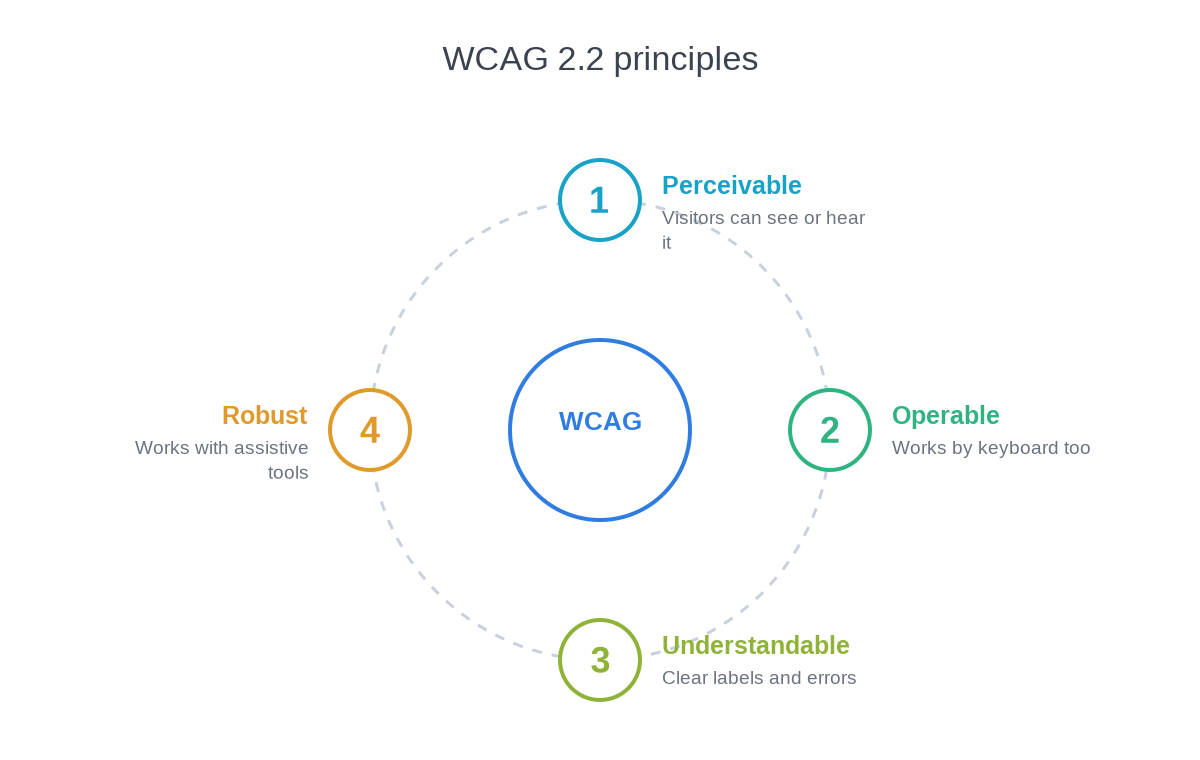
Success criteria come in three levels: A, AA and AAA. Level AA is the usual target for a business site. WCAG groups everything under four principles, shown here:
The checklist below turns the most common criteria into things you can look at.
How common are accessibility failures on websites?
Very common, and mostly the same few mistakes. WebAIM’s 2026 analysis of one million home pages found detectable WCAG 2 failures on 95.9% of them, with an average of 56.1 errors per page. The six most common failure types were:
| Failure | Share of home pages |
|---|---|
| Low contrast text | 83.9% |
| Missing image alt text | 53.1% |
| Missing form labels | 51% |
| Empty links | 46.3% |
| Empty buttons | 30.6% |
| Missing page language | 13.5% |
Most of these can be fixed without a redesign, which is why the checklist below starts with them.
How do you audit your own law firm website?
Spend an hour on these ten checks, using your homepage, your contact page and one practice page. The DOJ guidance lists the same barriers: poor contrast, color-only cues, missing alt text, uncaptioned video, inaccessible forms and no keyboard support. You need only a browser.

A few notes on doing it well:
- Keyboard test. Put the mouse away and press Tab. You should always see where you are, reach every link, button and form field, and be able to submit the form. Menus that open only on hover are a common trap.
- Contrast. Use a free contrast checker on your body text, your link color and the text on buttons. Light gray text on white is the usual offender.
- Zoom. Zoom the page to 200% and make sure nothing is cut off or overlapping. The DOJ guidance recommends supporting browser zoom and text resizing.
- Forms. Every field needs a visible label, not just placeholder text that disappears when you type. Error messages should say what went wrong in words, not only in red.
- Video. Consultation videos and attorney intros need accurate captions.
- Alt text. Each meaningful image, such as an attorney headshot, needs a short description of what it shows. Decorative images can have none.
- Links. “Read more” tells a screen reader user nothing. Link text should say where it goes, and no link or button should be empty.
- Headings. Use one H1 and nest H2s and H3s in order, so a screen reader user can jump through the page.
- Page language. The page’s code should declare its language, English for most firms.
The Charlotte firm might find three problems in an hour: gray 12-pixel text, a contact form with placeholder-only labels, and a hover-only practice menu. Each is a typical fix for a developer or site editor.
Do accessibility overlays and plugins fix it?
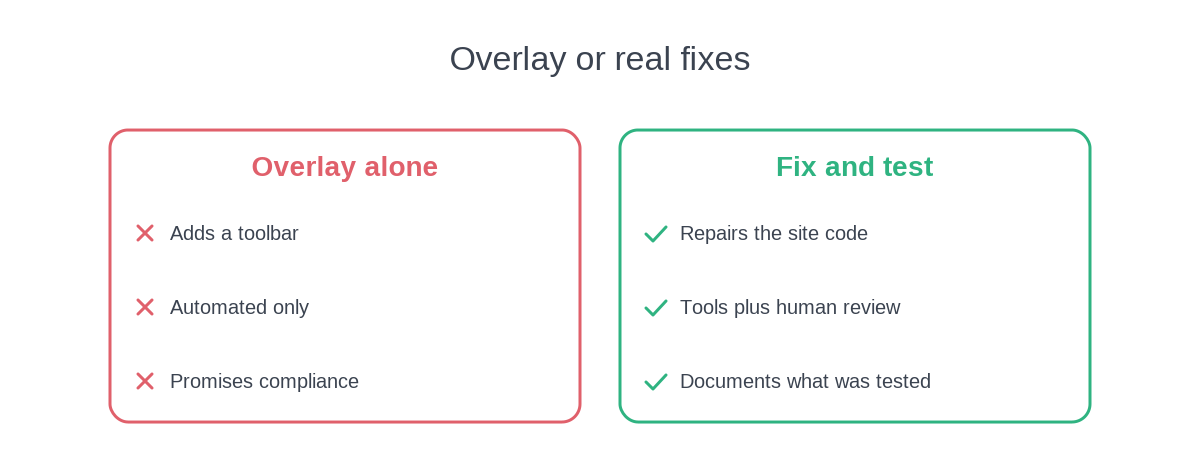
No tool alone can tell you your site is accessible, and that includes any “100% ADA compliant” badge. The W3C’s page on evaluating accessibility says no tool alone can determine whether a site meets accessibility standards, and recommends combining tools with knowledgeable human review. The DOJ guidance says the same thing, advising automated checkers plus manual testing: a clean automated report does not prove a site is accessible.
That is the problem with an overlay, a widget that adds a toolbar or promises automatic fixes. It can be useful as a text-size control, but it does not repair a form with no labels in your site’s code. I would not rely on one as your compliance plan, and I would be wary of any vendor or agency that promises full compliance.
Be cautious with ARIA too. WebAIM found that pages using ARIA, a set of code attributes meant to help assistive tools, averaged 59.1 errors, against 42 on pages without it (WebAIM). That is a correlation, since ARIA-heavy pages may also be more complex, but it is a reason not to add ARIA as a quick fix.
What should you fix first?
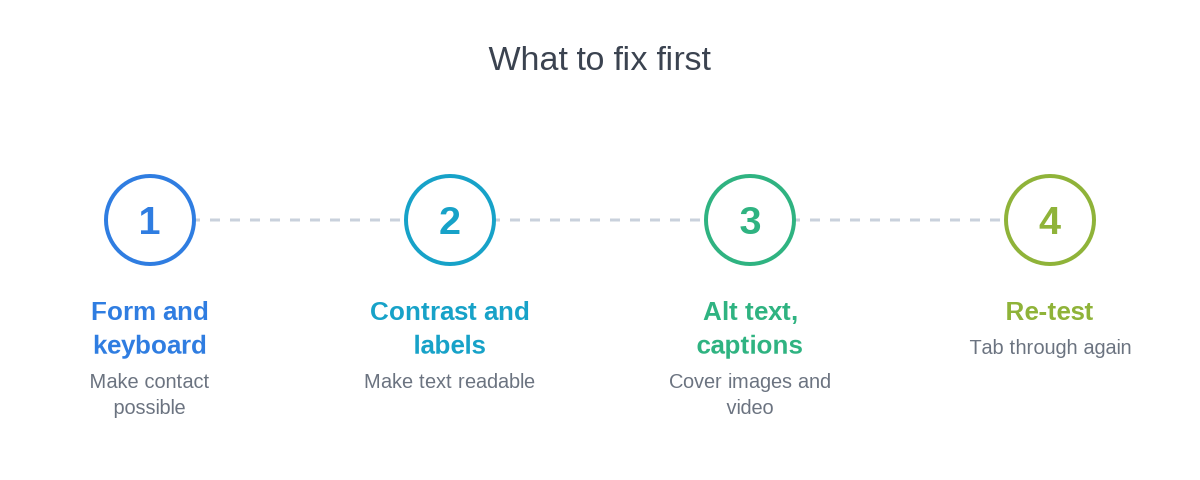
Fix what blocks a person from contacting you, then what makes your content unreadable, then everything else. For most firms the order is the same:
Costs vary by how your site is built. On a template platform, contrast, labels and alt text are often a settings change. On a custom or heavily plugin-based site, the menu and form fixes may need a developer. Our website design guide covers accessibility as part of the wider build, and the common law firm website mistakes post shows where it fits among the rest.
When should you hire an accessibility auditor?
Hire one when the site is complex, when a demand letter arrives, or when you need a documented conformance report. A self-audit finds the common problems; it does not prove conformance. The W3C recommends involving people with disabilities in evaluations, and it publishes WCAG-EM, a methodology for formal evaluations.
If you are rebuilding anyway, ask any designer or law firm website design provider whether the design meets WCAG 2.2 AA and how they test it. A good answer names the checks; a vague one says “we use a plugin.”
If you receive a demand letter or complaint, contact a lawyer before you reply. That is a legal matter, not a web design one.
Quick answers
Do law firm websites have to be ADA compliant? The DOJ treats the ADA as covering web content, but it has set no technical standard for private businesses. In practice firms aim for WCAG 2.2 level AA. Ask your own counsel how your state applies it.
Can I be sued over website accessibility? It is possible, and I cannot tell you how likely it is for your firm. Fixing the common problems above and keeping a record of your audit and fixes is a reasonable start, but a lawyer, not this post, can assess your actual risk.
How often should I re-check? After any redesign, new plugin or new form, and at least once a year. A site that passed in January can fail in June because someone uploaded a photo without alt text or changed a button color. Make the Tab test part of your launch checklist for every new page.
Who should own this? Name one person, whether it is your office manager, your web developer or your marketing agency, and write it into their scope of work. It is cheaper to catch problems when a page is first built.
Where to start
- Press Tab through your homepage and contact form this week. If you cannot submit the form, fix that first.
- Fix contrast, alt text and form labels, which are the most common failures.
- Ask whoever maintains your site which WCAG 2.2 AA checks they ran and on which pages, and book a human audit if the site is large or has had a complaint.